Proud partner

Proud partner
Article


Facebook has been offering users the option to use ‘Facebook Lead Ads’ for some time now. This is a simple and accessible way to set up a campaign and achieve results. In this blog, we’ll guide you through the process and explain how you can get started with Facebook lead generation.
social -media adverts are widely used. In the past, the conversion path involved ‘luring’ the visitor to a website so that they could complete the actual conversion there. However, there is a significant step involved here. The user clicks on a Facebook advert, which activates the link behind the advert. This always takes up (unnecessary) time. Ideally, every website would function optimally on every device. However, this is still not the case, meaning that users are sometimes unable to complete the conversion you expect of them. In summary: there was always a link to the website.
In the new situation, this is no longer necessary. Facebook has set things up so that users can complete a conversion directly within its own platform. This is ideal, as it means that, as a user, you are no longer dependent on the speed of an external website. The situation has therefore improved significantly, and this also means that, even if your website isn’t entirely mobile-friendly, users can still complete the conversion from a mobile device. Through various tests, we’ve found that this will lead to successful campaigns. We’ll explain how this works, as well as how you can get started with it yourself.
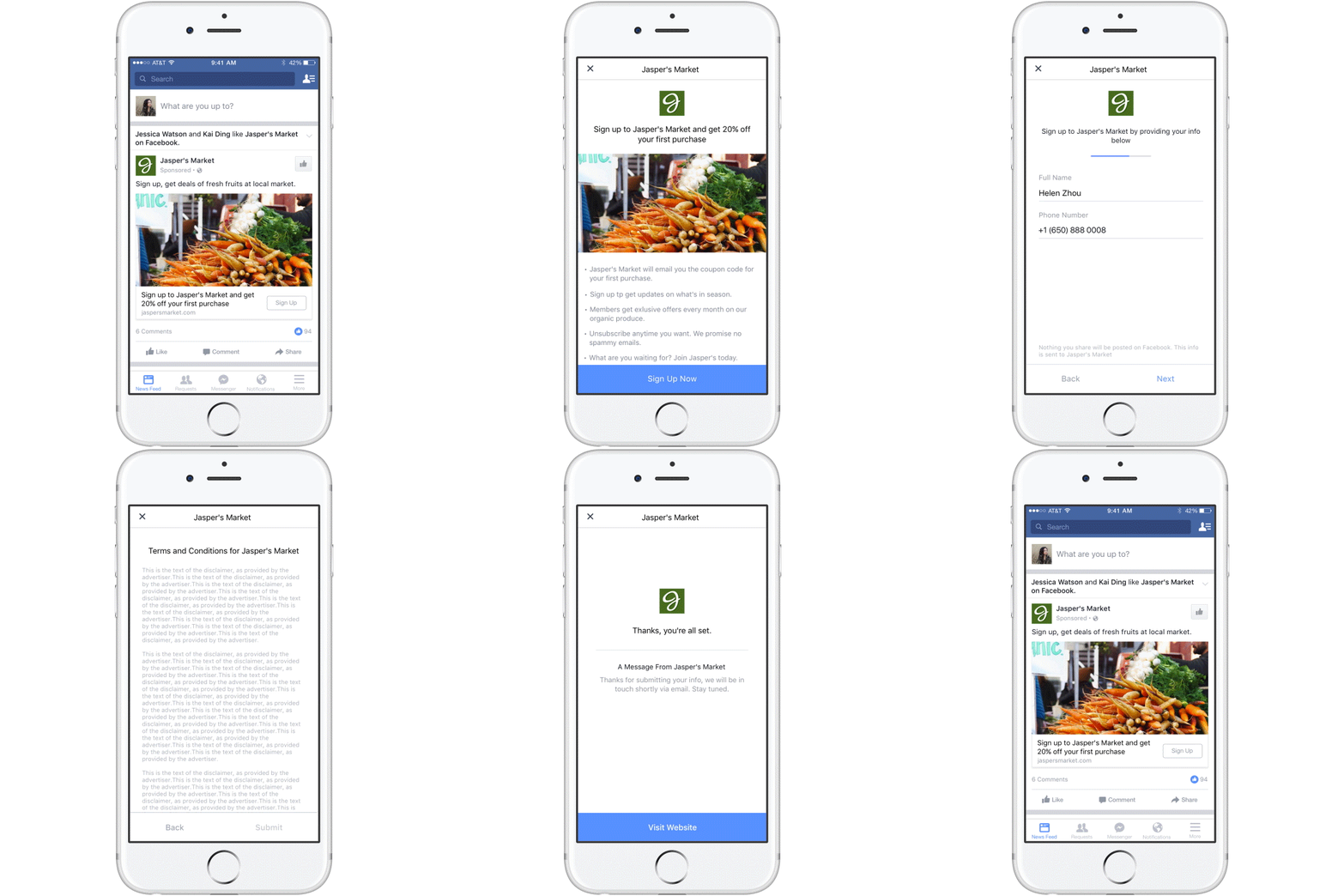
We’ll explain this using a concrete example. Imagine this: a campaign is launched to provide people with more information about hiring a cocktail bar. A visitor then sees an advert and clicks on the ‘more information’ button. The user is not redirected to the client’s website, but remains within Facebook. A ‘new page’ opens here, which immediately shows that a form is being loaded. Because Facebook already knows so much about its users, this form is filled in automatically. This means the customer no longer needs to enter any personal details within the platform. At this point, the user simply needs to click ‘Submit’ once, and the customer has already completed the conversion. Ideal, isn’t it?!
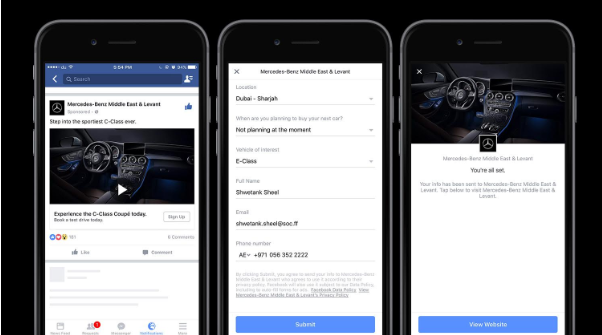
The example below is from Mercedes-Benz. On the left, you can see an advert with a ‘sign up’ button. When the user clicks on this, they are taken to the middle screen. Here, all the user’s details are pre-filled by Facebook. This is ideal, as it means you, the user, do not have to re-enter your personal details. You’re also just one click away from conversion. The visitor quickly checks their details, confirms they’re correct, and then clicks the blue button at the bottom of the middle screenshot. The user is taken to a thank-you page and receives confirmation that the conversion was successful. The user now also has the option to click back to Facebook, or to proceed to an external link to provide any additional information.
A Facebook Lead Ad can be used in various ways. Below are a few examples
The possibilities with Facebook Lead Ads are endless. So, rather than thinking in terms of limitations, focus on the opportunities it offers.
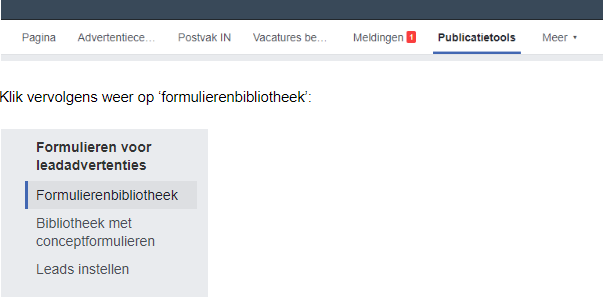
First of all, you need to create a form on the page. Go to the company page and click on ‘publication tools’.

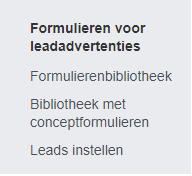
You will then see a submenu open at the bottom left relating to forms. Click on ‘forms library’.
Next, click on ‘+Create’ in the top right-hand corner, as this is the only way to create a new form. You will then see the following screen open:
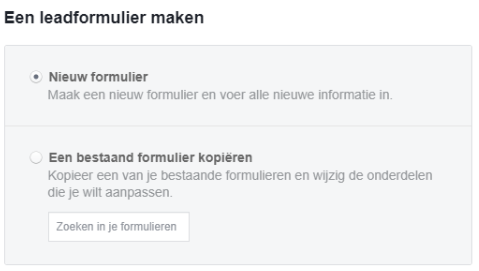
Click on ‘new form’ here and you’ll be given the option to create a new form. This form is therefore used when a visitor clicks on the button of a Facebook lead ad.
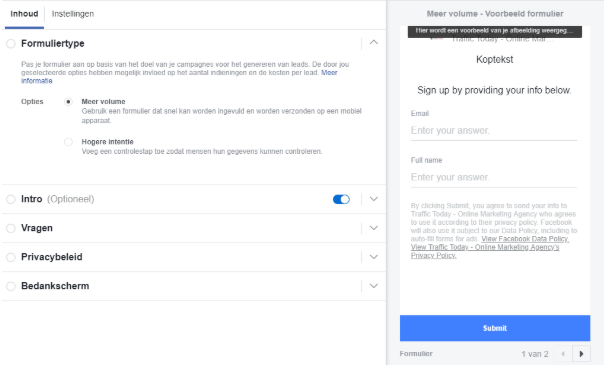
When you select ‘higher intent’, an extra step or click is required from the user. This is advisable when the quality of the leads is important and you therefore want to set the threshold for a conversion higher. When it comes to the ‘masses’, it is advisable to opt for ‘higher volume’.
The introduction is optional and can be used to persuade the visitor to complete the conversion. For example, use unique selling points (USPs) to highlight the benefits of such a conversion, so that you give the user that final nudge to complete it. Our advice is to use this when it can add value to the advert. It is not a mandatory field.
The next step, ‘questions’, relates to the data you need from the user. In our experience, it is more successful to limit the amount of data you require to what is strictly necessary. Users do not always realise just how much Facebook knows about them, so you may put them off if you select a whole list of data from the options below.
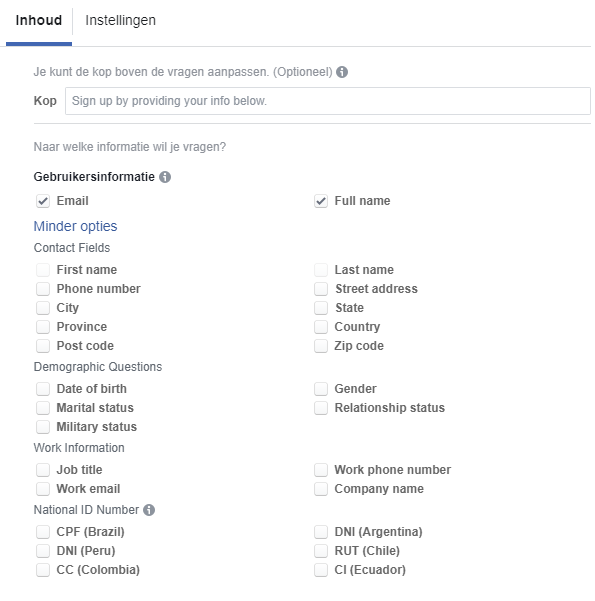
Ask yourself what data you really need to take the next step. Is a name and email address sufficient? If so, our advice is to stick to that. For privacy reasons, you are required to include a link to your website’s privacy policy. You can add this below.
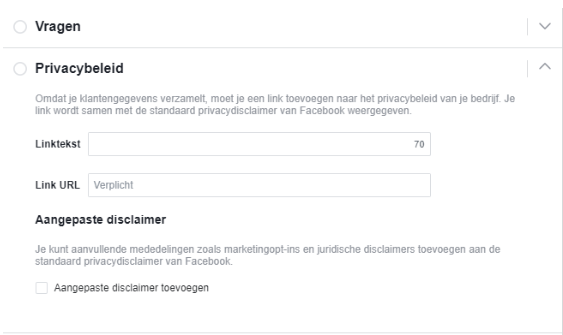
Facebook always uses a standard ‘disclaimer’. If you do not agree with this, the platform does offer you the option to add a further customised disclaimer. The final step is to set up a thank-you page. This page is also hosted on Facebook itself, so you won’t be redirected to your own website.
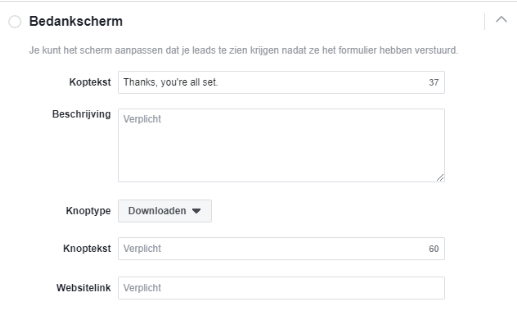
You can even choose to allow visitors to download a white paper straight away, for example, via the button that appears by default at the bottom of the last page to be loaded. This makes it immediately clear to the user that the conversion has been successful. You can also use this to provide additional information and, as an option, allow visitors to click through to your own website. However, as the conversion has already taken place (in the previous step), it is no longer dependent on the speed or mobile-friendliness of your own website. You’ve finished with the advert, and you now have two options:

Save: you save the form and use it again later (to improve it). You can think of this as a sort of draft. Complete: the form is ready to use straight away in your adverts.
Next, go to Facebook’s ad manager and click on the campaign type: ‘Generate leads’.
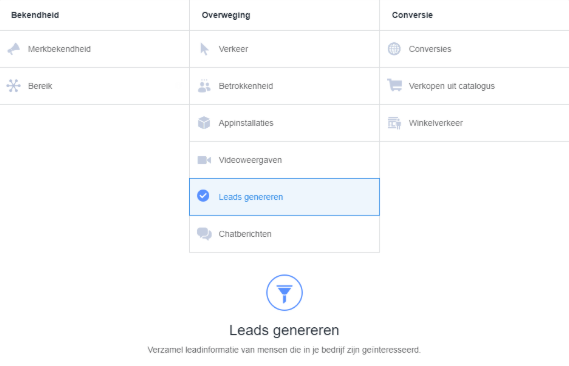
You can then set up the ad set as you have always done. You can also select specific target audiences that you have created for this purpose. It is only within the advert itself that you can choose, at the bottom, which form you wish to use in this advert. At the bottom, you can choose between the forms that you have created.

You finalise the advert and it’s ready to start generating leads!
The campaign is running, and the ad manager shows that the first leads have already come in, but you can’t find them anywhere in the ad manager yet. That’s right! Facebook has set it up so that these leads can be found within the page and therefore not in the ad manager! To view them, go back to the page and navigate to the publishing tools:
Here you can then view the various forms and see how many leads they have generated. Click on ‘Download’ to extract the leads from Facebook into a .csv or .Excel file. This ensures that you have successfully extracted the leads from Facebook.
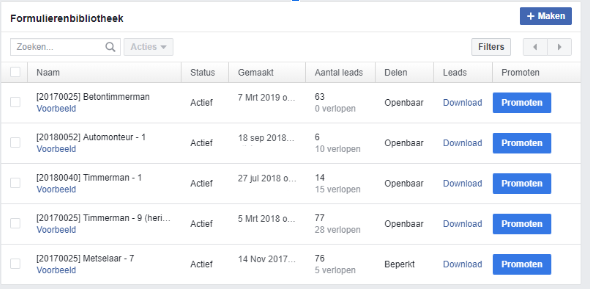
Please do ensure you do this within 90 days. After 90 days, the lead will be marked as ‘expired’ and can no longer be retrieved from Facebook. So make sure you back up all your data within those 90 days as a matter of course. It would be a missed opportunity to lose this data. After all, you’ve paid for it through an advert!
Facebook Lead Ads is a brilliant (and relatively) simple way to get started with Facebook leads. It works well and looks great, and delivers very positive results across various sectors. However, our experience is that this does not work in every sector or for every website. Give it a go, start using it and, over time, decide whether or not this is the best way to generate more leads. It’s not a magic bullet for success, but when combined with a highly targeted remarketing campaign or similar audience segments (lookalike audiences), I’m absolutely convinced that it adds real value for a large proportion of websites.




Our team is
ready to help you